Quick answer
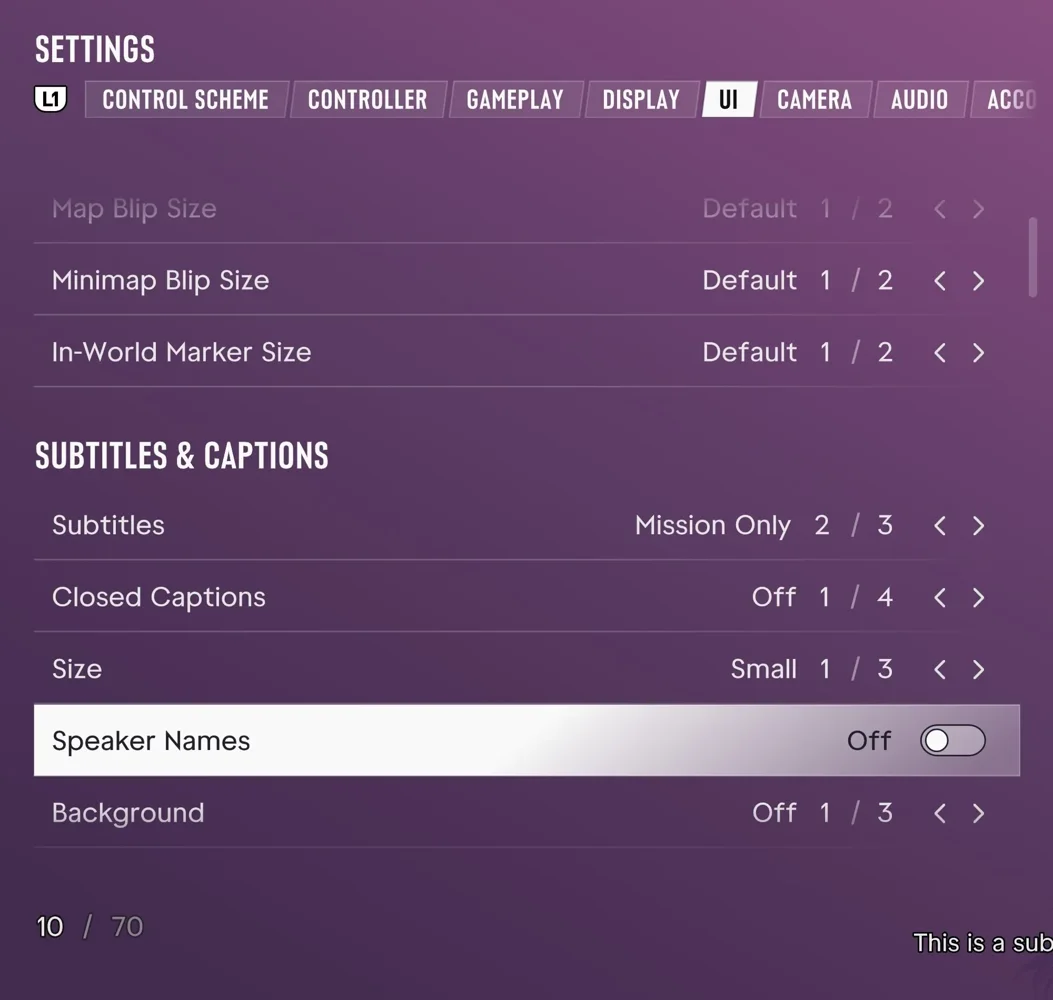
Open Pause and choose Settings. Use UI for subtitle size, Controller for sensitivity, and Control Scheme to see buttons for each activity.
How to adjust text and turn on closed captions
Under UI, adjust text scale, captions and notifications. Return to play after changing one group so you can judge the effect. Display includes high-contrast options.
Check the layout by activity
Control Scheme separates walking, driving, flying, swimming and parachuting. Use Controller for sensitivity and inverted controls. DualSense-specific options are available on PS5.
Restore a setting
Note any customised values before restoring defaults. If you cannot reach the pause menu because the game will not start, use the installation and troubleshooting guide.
Related guides
See also · GTA 6 camera zoom: How to change camera distance and use first-person view
For everyday shortcuts, see the hidden controls.